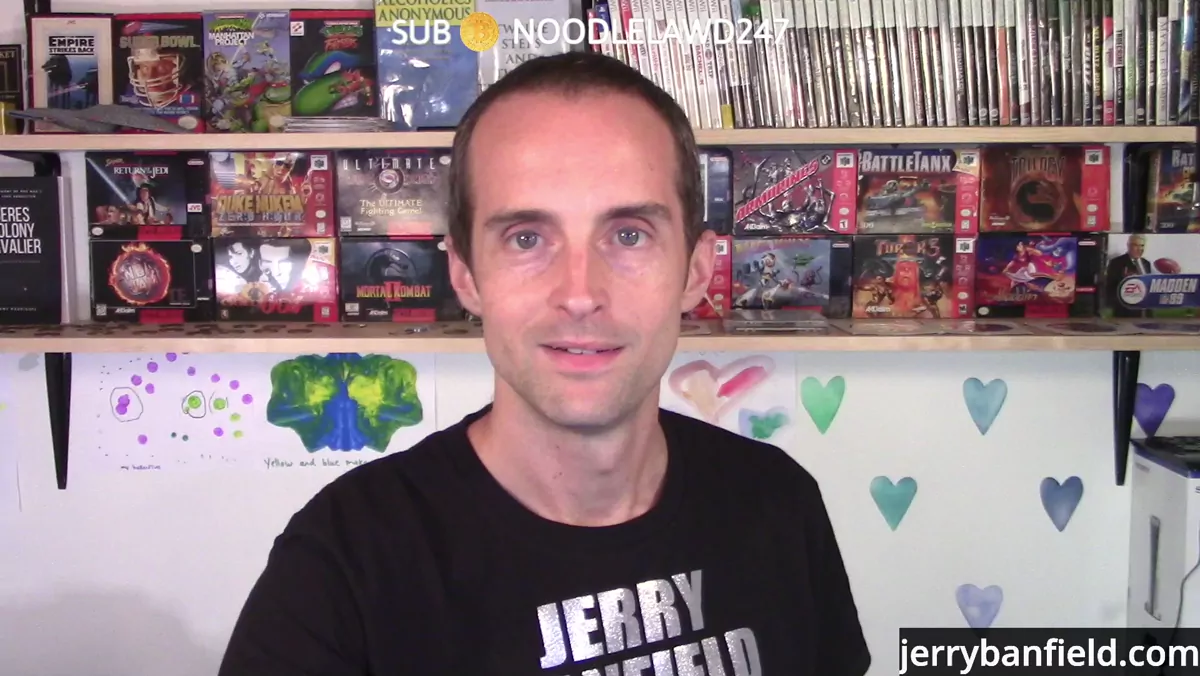
Step into my studio, my friends. I'm going to give you a studio tour. I've been a live streamer for nine years now. I am live every day on Twitch, and I put clips up to my YouTube channel. What I'm going to do is show you my entire studio setup right here so you can see how I make all the magic work, and so you can learn from my setup. I'm doing this live on my Twitch channel and then taking it and clipping it and putting it out on my YouTube channel. So this is my live streaming studio. This is what I do full time. I don't do anything else for work. I stream on Twitch and take clips and put them on YouTube, and thank you for helping me do that.
Why I built the whole studio around a standing desk
Let's start off with the standing desk right here. I've got a standing desk because one of the most important things for your live stream is what kind of energy you bring to it. In my experience, if I'm sitting down, I'm much more likely to bring a monotone, a more chill, relaxed, but unfortunately also a boring energy to my live stream. What I found back when I was teaching courses on udemy.com is that if I stood up, I could get really good at it, because my energy from standing up is completely different.
Think about it this way. If you talk on the phone, who really gets excited on the phone? But if you get excited when you're talking to somebody, you're probably usually standing up when you do that. Standing up, I can use a lot more hand gestures. I really like that I can lift my arms and move. To me, standing up is a lot healthier. I move around, I can dance, and I've got a lot more flexibility in my studio standing up. So I've built my entire studio around being able to stand up and do my show. The first thing with building a studio is having a vision, and mine started with the standing desk. If you're making a studio, it can be a bit of a pain to convert from a sitting to a standing desk, so plan for it. If you want any of this equipment in particular, all you need to do is go to my website and click on studio equipment, where I've got a list of all the gear.
The streaming PC, the consoles, and how everything flows in
Let me show you the equipment next. We've got the streaming PC right here. The streaming PC brings in everything else as input and then puts it out to OBS. This is my main monitor. Usually this is a gaming monitor, but right now I've been doing a teaching presentation, so it's a teaching monitor. This is where everything goes down. If I'm teaching something, whatever I'm teaching is here. If I'm gaming, the game is on here. I've got a five monitor setup, so I can really see everything, and it works great.
For consoles, I've got the Xbox Series X, PS5, gaming PC, and Nintendo Switch. And if you look back here, I've got my retro consoles: N64, Super Nintendo, the original Xbox, Sega Genesis Plus. I've got an Xbox 360 around the side, and a PS2 and an original Nintendo back there as well. All of those flow into a capture card, except the gaming PC, which goes directly via NDI. I use NDI tools, so I don't run OBS on my gaming PC; I use NDI tools to send from the gaming PC into the streaming PC. For everything else, I've got an Elgato HD60S capture card and a five HDMI switch over here. The Xbox Series X, PS5, and Nintendo Switch all go into the HDMI switch, which then feeds into the HD60S, which then goes into the streaming PC. So all this stuff comes into the streaming PC, and then I use OBS to lay it all out.
The stream deck, scenes, and my cameras
What makes it a lot easier to switch when I'm live is my stream deck. I hit a button on the stream deck and it switches scenes in OBS. Scenes are collections of your sources. I've got a browser source linked up here, and some text over here for my website. One scene is just a single camera. Then I push a button and it switches over to my main camera, the one I actually stream with on Twitch, because it stands out. A plain webcam doesn't really stand out on Twitch, but this one is immediately different and noticeable.
For that main camera, I use an iPhone 8 with the OBS camera app plugged in via USB directly to my computer. Then I've got a Canon R800, only 200 bucks used. It used to film funerals, and now it films much happier occasions, although funerals can be happy too if you let them be. And I've got a webcam up here, a 1080p Logitech that shoots 60 frames a second. Again, all the actual equipment is listed on the studio equipment page on my website.
Streaming to Twitch and mirroring the chat
Everything lands in OBS, and then I use OBS to stream out to Twitch. I stream just to Twitch now, because that's where we have the entire community. The only thing we do on Twitch is watch live streams together. That's all we do here. We're not watching videos, we're not posting, we're not posting pictures. And there's a bonus: I don't have to worry about violating the terms by doing anything else either. I just do my live stream. If you want to be part of that and go deeper with me on building your own setup, the best way to work with me today is to schedule a private call with me.
Then I take a recording of part of my Twitch stream and put it up on YouTube. This one has my Twitch chat on it. What I usually do is mirror my Twitch chat on the other monitor. If I minimize the Windows Explorer here, I've got my Twitch chat mirrored on this other monitor. That way the chat is a lot smaller on the main view but much deeper on the mirror if the chat gets rolling quickly. And then the last monitor is for notes.
Somebody asked about squats in the hot tub. Hot tub squats, one sub for one squat? I'm just playing. But there are a lot of people whose real business model is exactly that, and that's cool. If it works for you, go for it. I'm not above getting a hot tub and getting into a Speedo and doing squats for subs. I don't have any issues there.
Lighting the green screen was the hardest part
With the lighting, one of the most annoying things to figure out in my whole studio was getting the lighting right, especially because I have a pull-down green screen right here. If I pull down the green screen, then to get the lighting just right on it takes some work. You can see my green screen is pretty evenly lit, and figuring that out was one of the most annoying parts of the build.
So let me simplify the lighting for you. I have two key lights on a remote control, one on each side. The exact lights are listed on my Amazon; I can't be bothered to remember what they are. Then I have these smaller ring lights. There's one down here, and there are two more on the other side just out of the shot. These ring lights help get even lighting across the green screen, and getting it just right was annoying. Basically, you need the green screen to be lit evenly all across it. If it's not lit evenly, when you put the chroma key on, it looks like crap.
If I go to filters in OBS, you can see this is lit well; there aren't all these spots. But if I start turning off some of the lights, you can see how it creates these artifacts. Turn these lights off and now it's a poorly lit green screen, where the light isn't hitting all the different parts of it. These parts back here are too dark. So I've got these lights positioned specifically to light my green screen just right. Then when I hit the chroma key filter, it takes it all out and it looks nice.
Wardrobe, cables, and the internet setup
I've gone back and forth lots of times on what I wear on my live stream. I've worn things like tube tops just to get extra clicks, and it's certainly worked. But I want to be authentic. I don't want to wear something different on my live stream than I wear the rest of the day. Off to the left I've actually got all my wardrobe, all these different clothes I could wear. But I'm tired of being inauthentic with what I'm wearing. If I wouldn't wear a tube top the rest of the day, then it's not real or raw or authentic for me to wear one on my stream and then take it off the rest of the day. So I just wear shirts I'd wear around normally. I'm all about being real, being raw, and being authentic.
I've also got a nice shelf off to the right for all my controllers and joysticks. And down below there's a ton of plugs and cords. Figuring out how to connect everything and getting it reasonably neat has been quite an adventure. I've got a speaker system connected over here, which is cool, and I've got Google Wi-Fi, which is really nice. I've got the Wi-Fi connected in the house, and then I have hardwired internet out here running off the Google Wi-Fi. One thing streamers do that I can't stand is use Wi-Fi. No. Everything should be hardwired in so it actually works the best.
If you want to go further with building your channel and your setup, I put a lot of these lessons into my YouTube Coaching playlist, where I walk through the mindset and the mechanics behind all of this. And with that, I think I've given you a quality tour of the studio. I've enjoyed showing it to you, and I'm very grateful for all that you've done so that I can have this studio and stream all the time you've watched on other platforms.