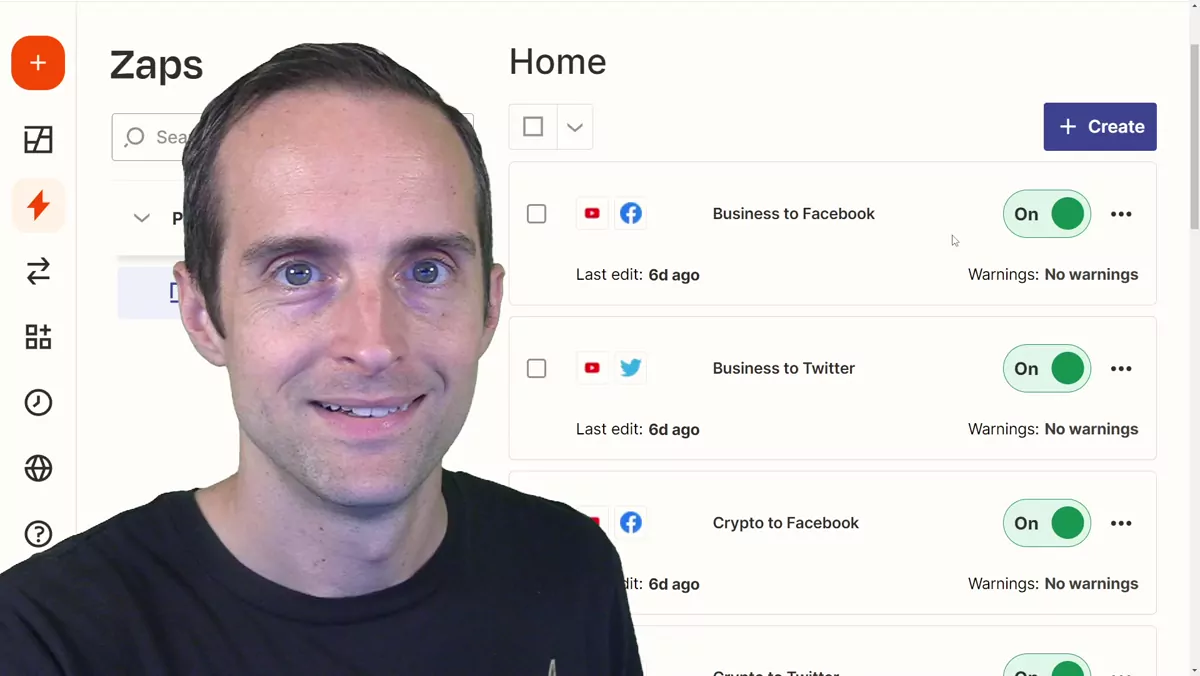
My friends, here's the best way I've found to automatically share your new YouTube videos out to Facebook and Twitter so you get some more people watching your videos. This will be especially helpful for those of you using Zapier like me who have multiple YouTube channels. I actually have five YouTube channels. There's my main channel, and then I've got four others, because I'm getting more views on a brand new crypto channel than on my main channel, and all these other channels are growing as well. So if you're a YouTuber, in my experience it really helps to split your channels by niche, and then if you've got an older channel, just use it to promote the new channels and you'll get way better growth. Take a look at my crypto channel if you want to see what I mean.
Here's how I set this up. I was wondering what the best way was to get all of my videos out there, because I make around three, four, even five videos a day on average. I like putting a video up to almost all of my channels, and then I get traffic to my Facebook page and my Twitter, and I set this all up in Zapier. It's pretty easy to automate, and it costs about $30 a month, or you can get it for $20 a month if you pay yearly.
Why I Post as a Picture on Twitter and a Link on Facebook
Here's how it comes out. I researched and looked at the best way to do this, and what I like to do is put my new videos out as a picture post on Twitter with a link to click. These seem to be the most reliable to consistently get views. I've tried uploading natively too. For example, I actually uploaded a video directly to Twitter, but it doesn't get much more in the way of impressions compared to just uploading a picture. I've also tried sharing my links plain, and while those in the short term may sometimes have gotten more actual watch time and watch hours, that's mostly on desktop. On mobile you don't usually get the little preview. On mobile you just get a tiny little tweet. A shared link certainly looks nice enough on desktop, but on mobile people really scroll right by it. So my favorite way is to put it out as a picture post on Twitter.
Then on Facebook, you just share out the video directly with the link, and it pops this nice big thumbnail up that's easy to click. Some of these get a really nice amount of reach. For me, I get thousands of impressions, and then some of the videos people like the best go out to almost 10,000 impressions, and it's promoting all of my different YouTube channels at once, which is beautiful.
Setting Up the Facebook Zap
So here's how to set this up in Zapier. If you want to use the Facebook app and put your video out to your Facebook page, you start off with the trigger. You grab the YouTube app, and the trigger should be "new video in channel." Then you're going to grab your channel ID, which is easy to find. If you go into your YouTube Studio, you just click on studio.youtube.com and it'll bring your channel ID up right there, and then you put that channel ID in. Next you go down to Facebook and choose the Facebook Pages action. You cannot do this for a personal profile, unfortunately. What I do for the videos that do the best on my Facebook page, or that I really want to share with my friends, is I just share those out manually with the share button on my phone.
So you set up Facebook Pages, choose "create Facebook Page post," put the title in the message, then in the link URL you put the YouTube URL, and then publish that. It comes out looking just right, and it's effective to get engagement. It may not get as much engagement as uploading a video directly on Facebook, but here's the benefit: YouTube is the best place to have people watching you. I've tested a lot of different uploads on Facebook. You can put picture posts up, and one of those got a little more reach, but it didn't even do that much better than just uploading a regular video. I've tested putting it out every which way, and a native upload sometimes got more actual post impressions, but if you set it up as a plain link it doesn't have the preview thumbnail. The problem with posting the link manually is you've got to manually remove the link preview if you do it that way, and in my experience it's generally not worth the time. What you want to do is value your time. I tested putting a video up directly on Facebook, and putting the video up directly got a lot less clicks through than just posting the link with the thumbnail.
What you want is to get everybody actually watching directly on your YouTube channel. You do not want people watching on Facebook and Twitter. Putting all the traffic to YouTube gives me the best chance to grow my YouTube channels, and YouTube is the best place to actually earn money and grow my audience.
Setting Up the Twitter Zap
So the second thing to do, after you set up the Facebook one, is to set up the Twitter one. You do the same thing you just did with Facebook: connect the YouTube app, "new video in channel." But then in Twitter you do it a little bit differently. Grab the Twitter app, choose "create tweet," put in your profile, and what I do on Twitter is I put the title, a space, and then the YouTube URL. Then in the image field I stick in the thumbnail's maxres URL. That'll give you your 1280 by 720 thumbnail. Now if you want to do this, you need to actually upload a 1280 by 720 thumbnail or higher, because if YouTube just takes the thumbnail out of the video, sometimes you won't have a maxres URL, in which case it can break the automation in Zapier and it won't run. I also don't shorten URLs. I want the YouTube URL out there directly, and my tweets come out looking clean like this.
What's beautiful is I can put five videos out a day and just use this automation. Then what I do is I schedule the videos at different times. So I'll put a video on my new crypto channel, then I'll put one out on my main channel a few hours later, and a few hours after that I'll put one out on another one. My YouTube channels are getting hit at all different times of the day that way, so the hardcore Jerry Banfield followers are not getting a new video all at the same time. This automation makes it super easy.
I hope this was helpful for you. If you want to go deeper on growing a channel and getting your videos in front of more people, I've put a lot of what I've learned into my YouTube Coaching playlist. I've got over 4,000 videos across five channels, and I'll be seeing you soon.